Complexity of the Search result page
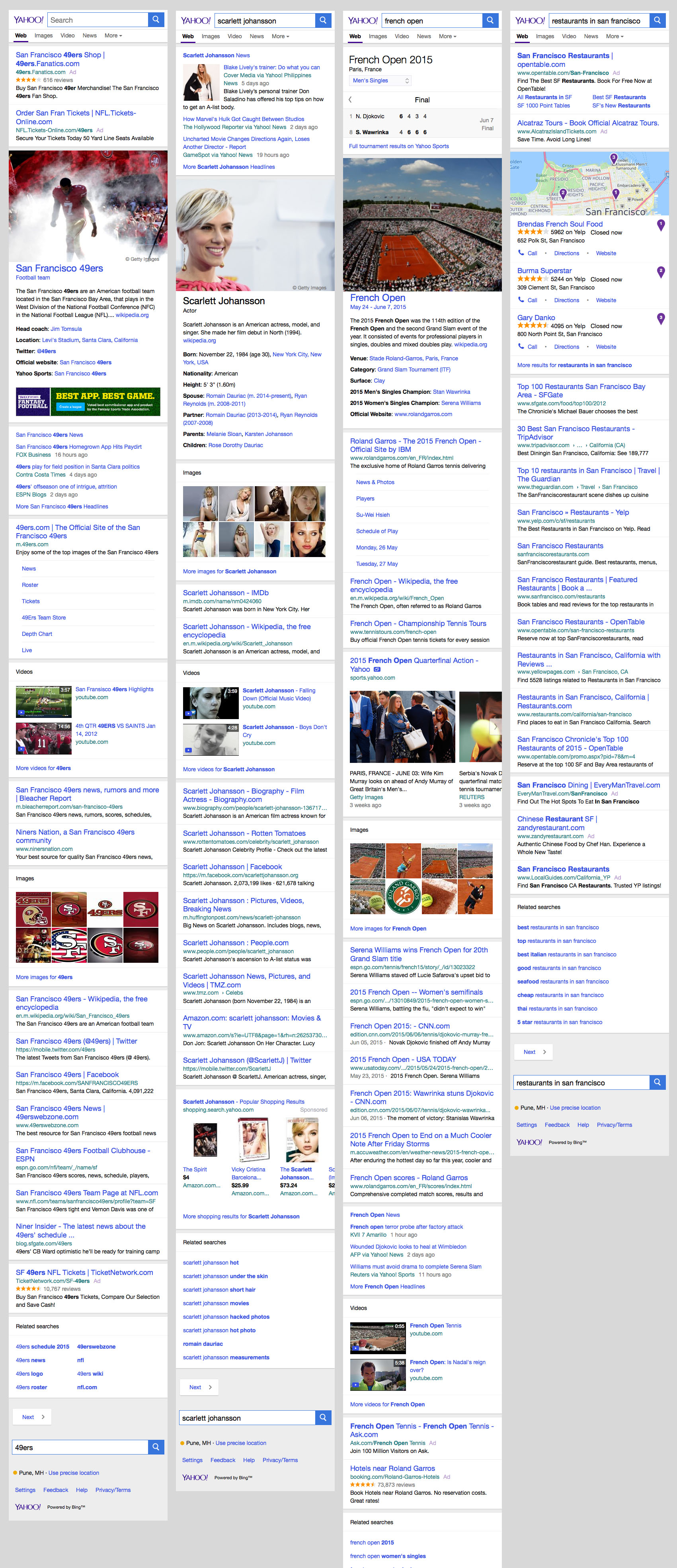
Search is the most complex product I have worked on. Depending on the search query by the user and based on the level of confidence in understanding user intent, a search result page is composed on the fly. This page consists of various modules that come together to provide direct answers or useful links to the questions posed by the user. In April 2013 Yahoo introduced the Knowledge graph, i.e providing useful answers to entity queries and help complete tasks where required. These entities could be actors, movies, local businesses, cities, countries or even fruits and vegetables. The knowledge graph was introduced on the right rail of the page. The design system handles various amount and types of content with a wide variety of imagery to create a consistent user experience. The knowledge graph was designed to drive discovery of related entities and drive search requery.
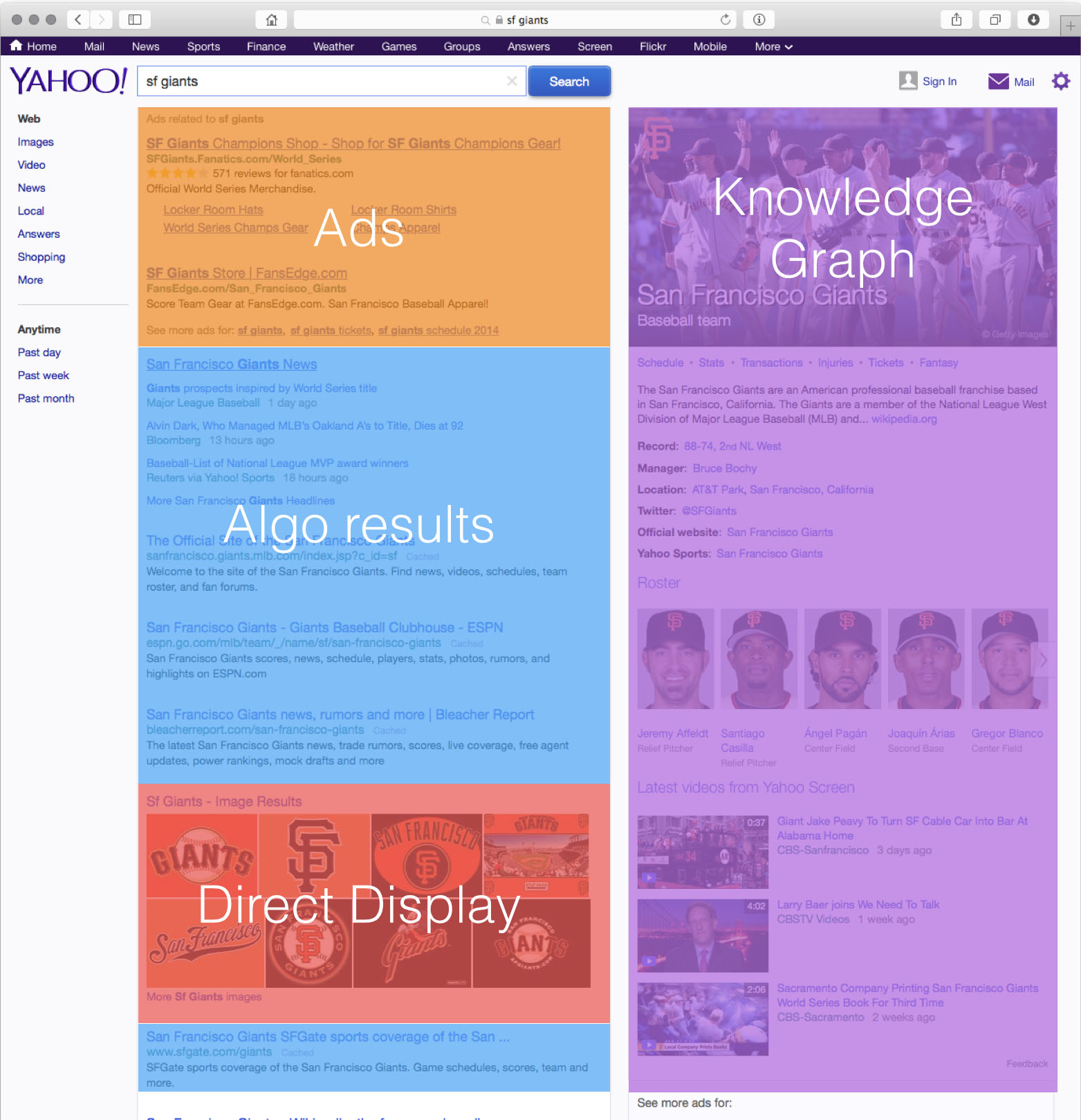
The overall placement of Knowledge graph was similar to that of Google, however we soon realized that this has several issues like right rail blindness and inability of this content to participate in the slotting algorithm. This lead to the Search 2015 Vision project, a highly differentiated and a drastically improved design that helped Yahoo win the Mozilla deal.
Anatomy of Search Results Page
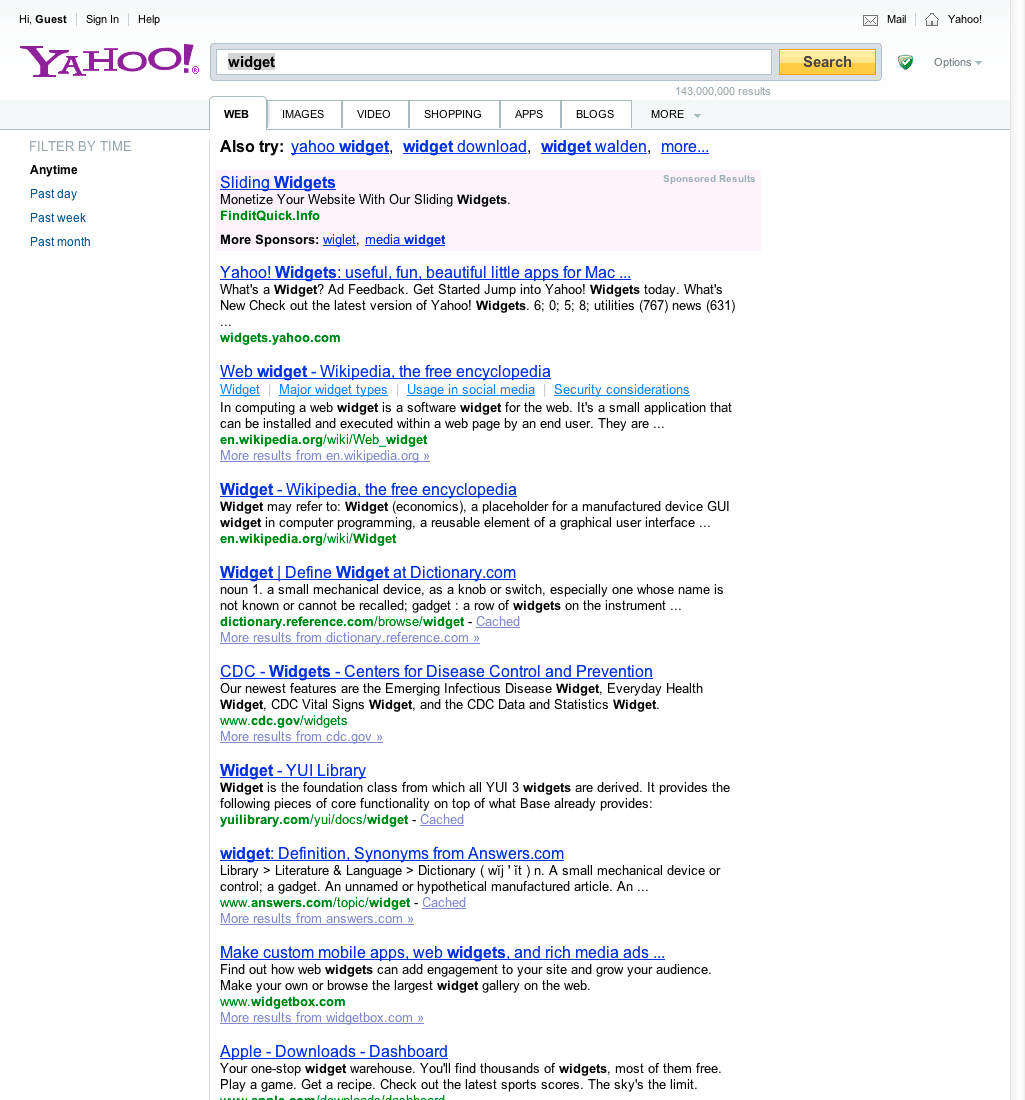
Search result page before Knowledge
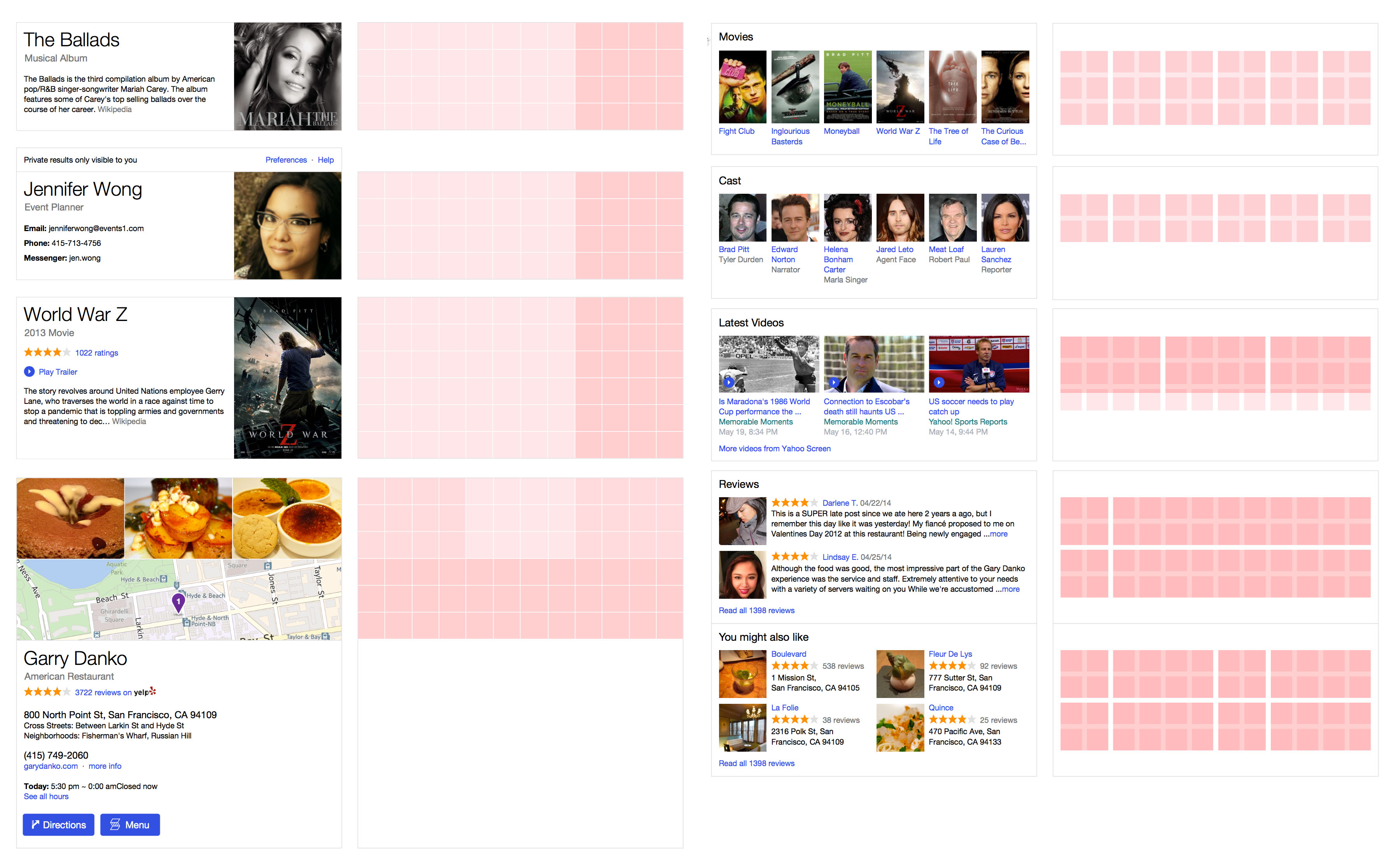
Grid System and Modular Design
The entire experience is based on a design system that consists of page templates, modules and elements in a module. The type heirarchy and the color system, and a strong underlying grid system creates a strong design language. This ensures that a very consistent and delightful experience is rendered, irrespective of the query type and the modules that might trigger at run time
Examples of Knowledge graph - sports
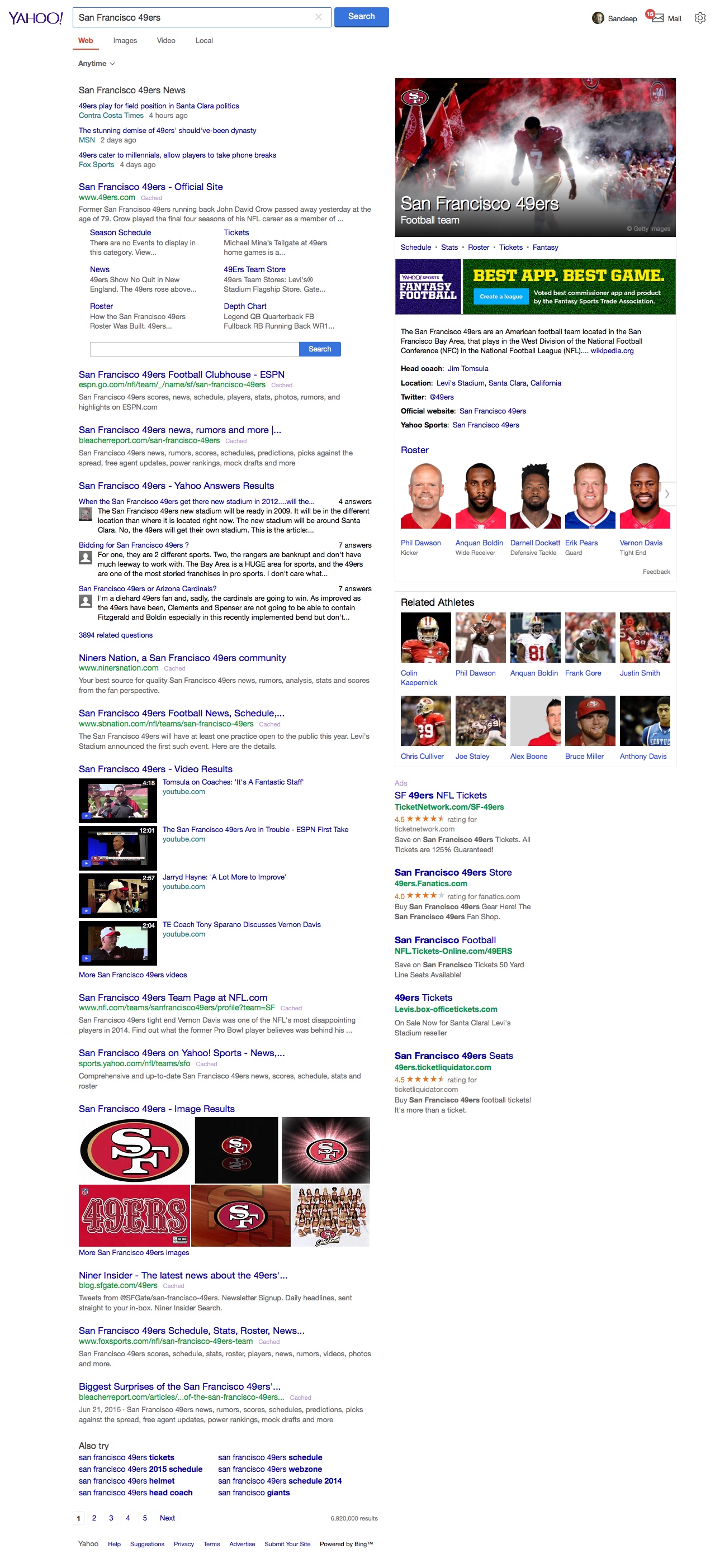
Everything you need to know about 49ers. When a game or tournament is live a user can see the most updated scores, team standings and more . The search results also show related videos, news, Q&A on Yahoo answers and of course links to the official website
Examples of Knowledge graph - local businesses
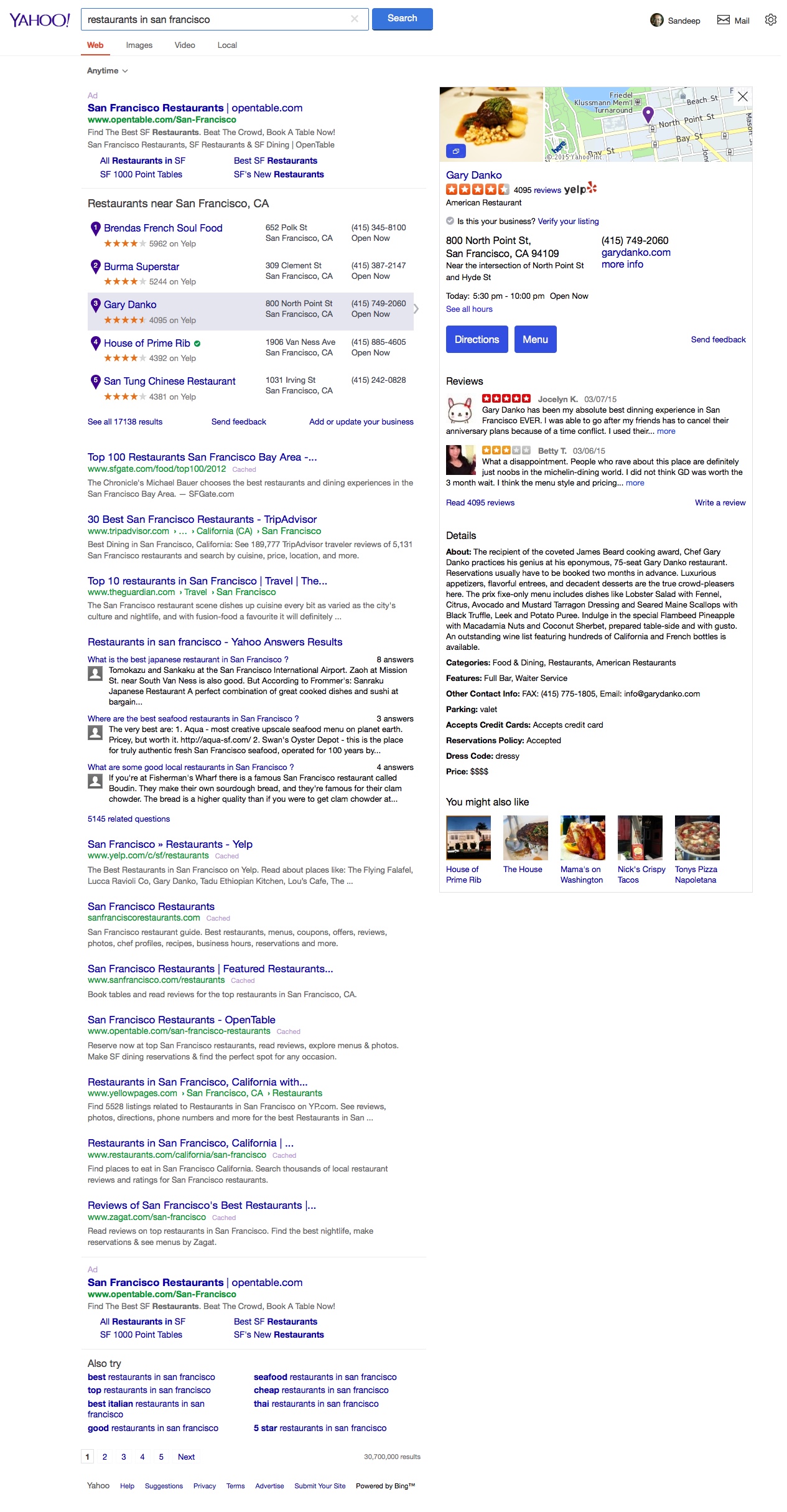
Selecting a restaurant in the left rail updates the knowledge graph on the right. This is a better model for consumption than Google’s carousel on the top.
Google’s carousel forces vertical scrolling for consuming even the basic information.
Google moved to this model a few months after Yahoo launched this.
Examples of Knowledge graph - actors and movies of
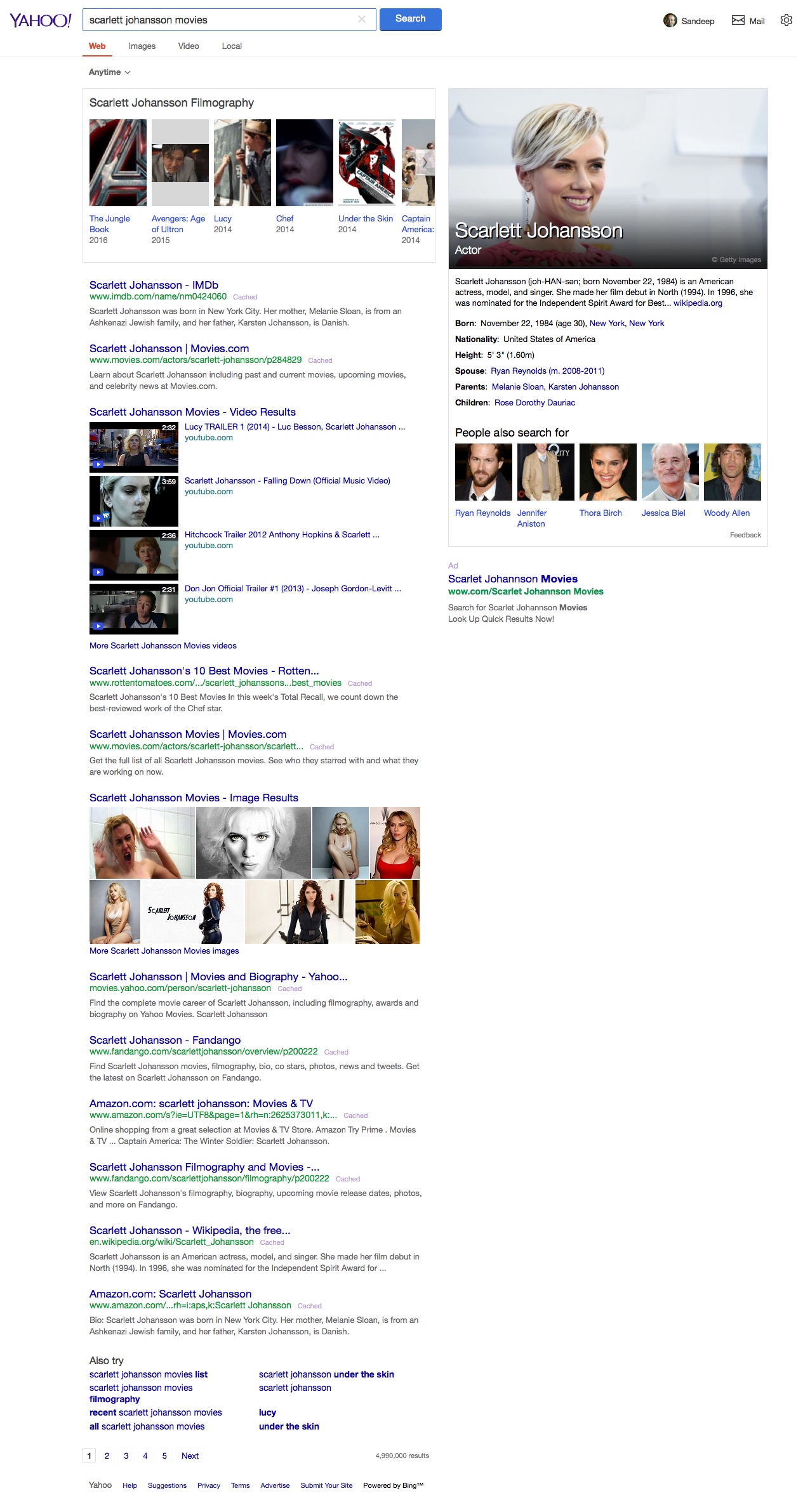
On selecting a movie in the carousel in the left rail the right rail will show the knowledge graph for the movie. This is a much better experience than Google’s carousel on top. Google’s model forces a user to scroll to be able to consume even the basic information in the knowledge graph.
Other innovations - weather in San Francisco
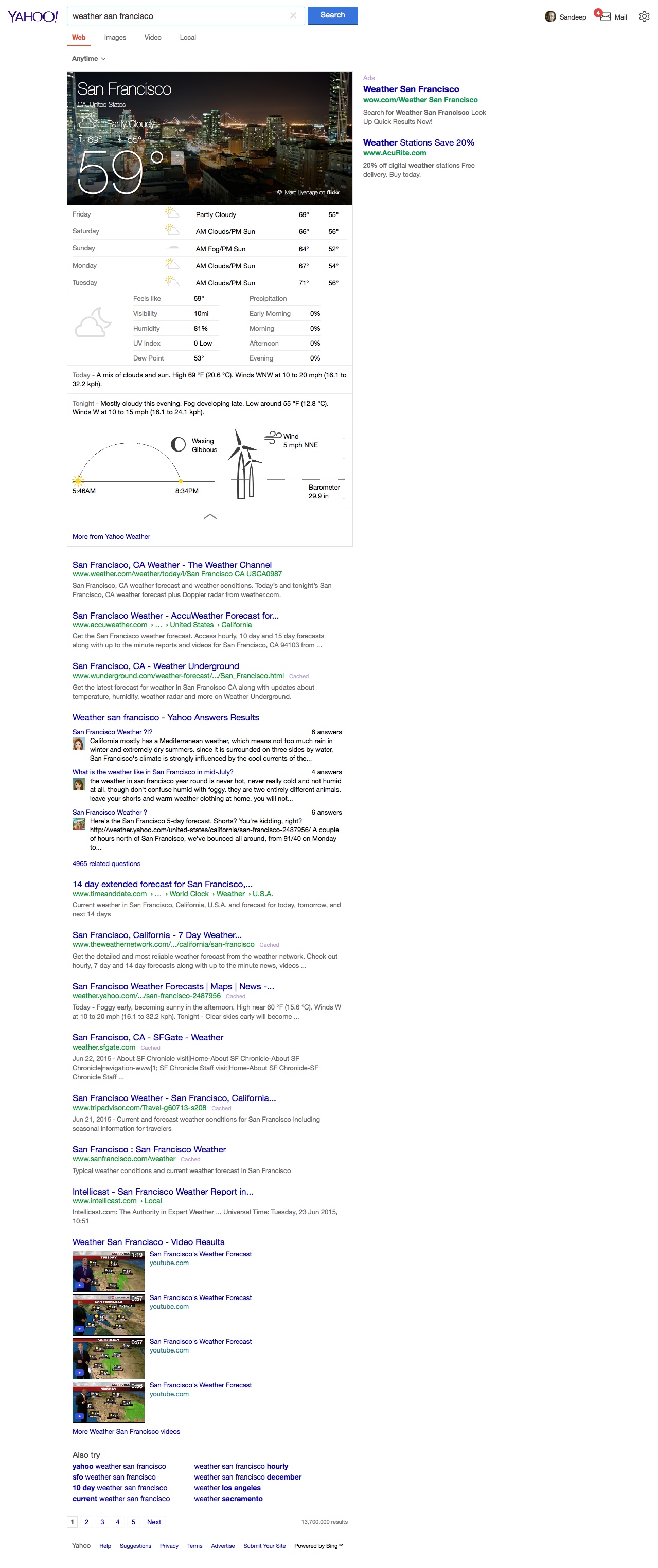
Weather is one of the most often queried term. Yahoo search provides a rich user experience showing a detailed weather report upfront and center.
mobile version

Other innovations - flight tracking and personal search results
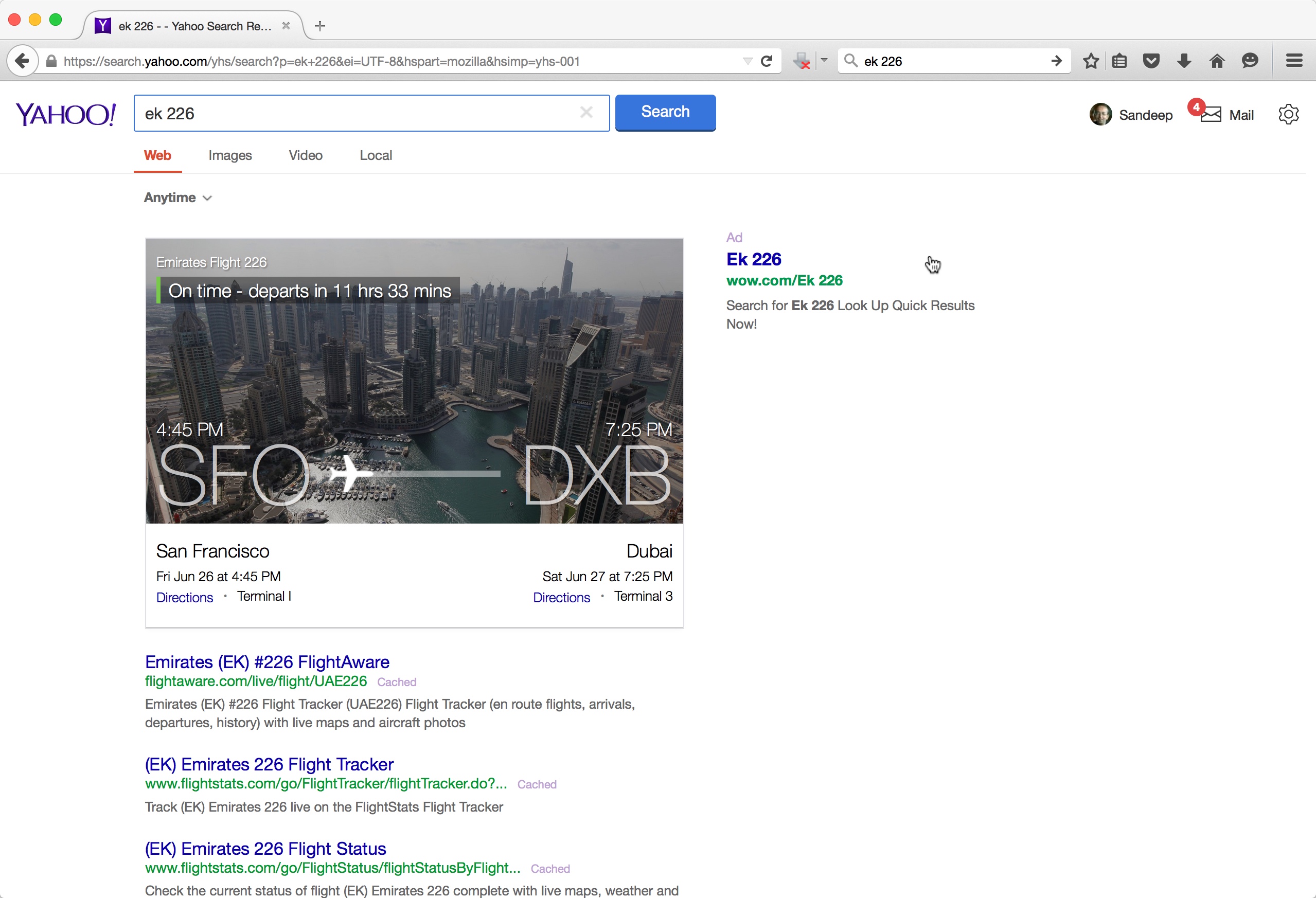
Flight tracking and search my world for flights, packages, bills and more. Use of imagery associated with your destination helps create an emotional connect.
mobile version
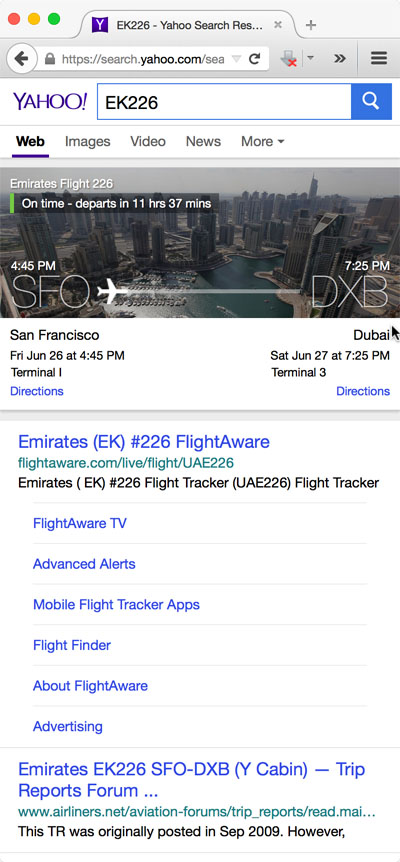
Knowledge graph for Mobile