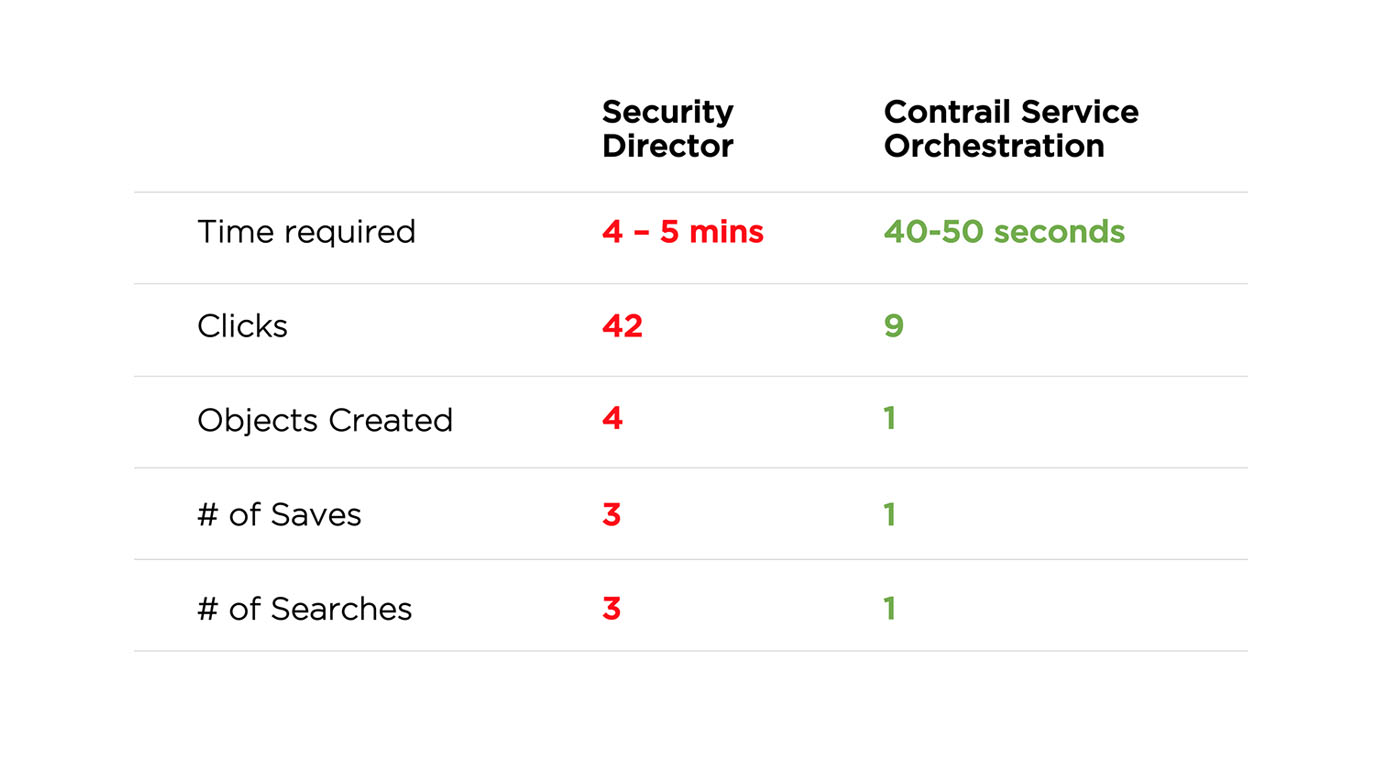
Design thinking and a user centered approach resulted in 500% improvement to the firewall rule creation process and a sighnificantly reduced cognitive overload.
Juniper Security Director is a management tool that allows users to define firewall access policies for your enterprise. It also allows users to define and monitor unified threat management and intrusion prevention activities.
In our new product, Contrail Service Orchestration, that offers Network virtualization, SDWAN and Network Security, we took upon a task to super simplify how users define network security.
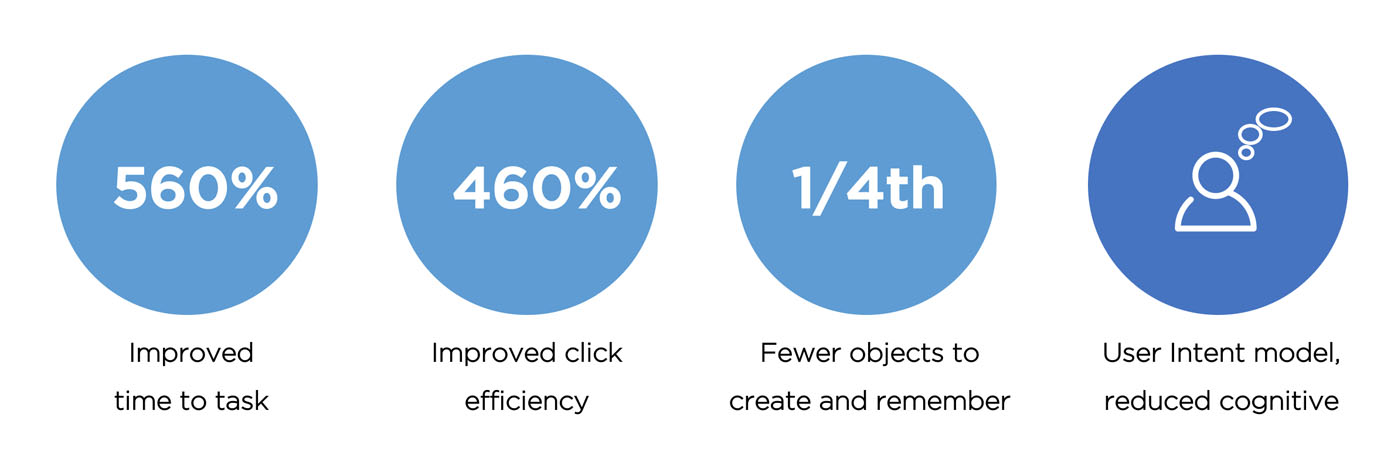
Apart from the quantitative improvements in efficiency of use, the new design greatly reduces the cognitive effort for the user.
Key issues identified with the current design
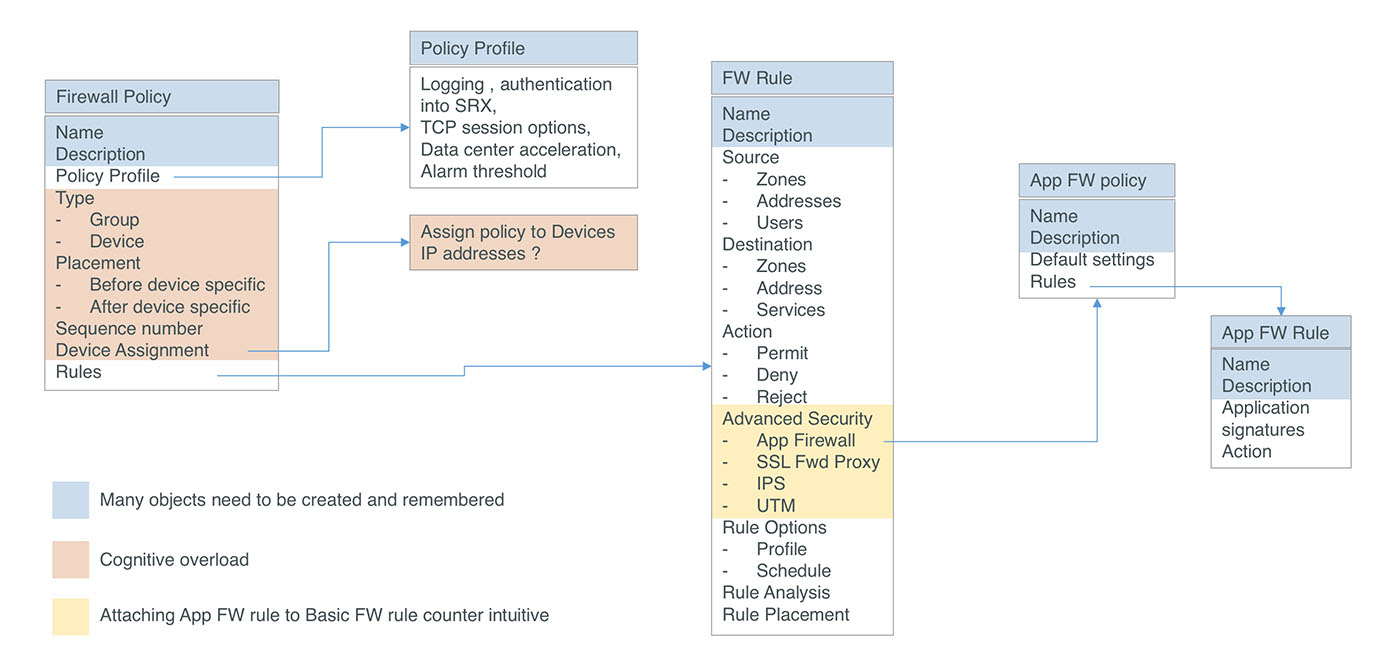
1. Complex multi-tiered object model: Too many objects are required to be created and used within each other. A user needs to first create an “Application firewall policy” and create “Application firewall rules” inside the policy. Then the user needs to create a “Basic firewall policy” and a “Basic firewall rule” inside it. In the rule the user needs to select advanced security and attach the “Application firewall policy” to this rule.
2. Too many steps, clicks and a lengthy process: The UI is catered to a novice user and takes an approach of hand holding the user through the steps using wizards. This along with the need to create several objects result in too many steps and too many clicks and lot of time. The above use case requires 42 steps and 4 to 5 minutes to complete.
3.Reflects how the device works and not aligned to the users mental model: The current model reflects how the firewall device works, which in many ways in counter intuitive to how user thinks, and results in confusing actions.
Complex object model in Security Director
Video of the current, multi-click, cumbersome firewall rule creation process for a simple use case
Use case: The user wants to define a security intent where all users in the finance department will be denied access to application “Netflix"
Core design principles for the redesign
1. Simplify the object model: To reduce the number of objects that a user needs to create.
2. Align to user’s mental model: The new design captures the user intent as the user would want to describe it. Internally a mapper translates the user intent to device level rules that the firewall understands
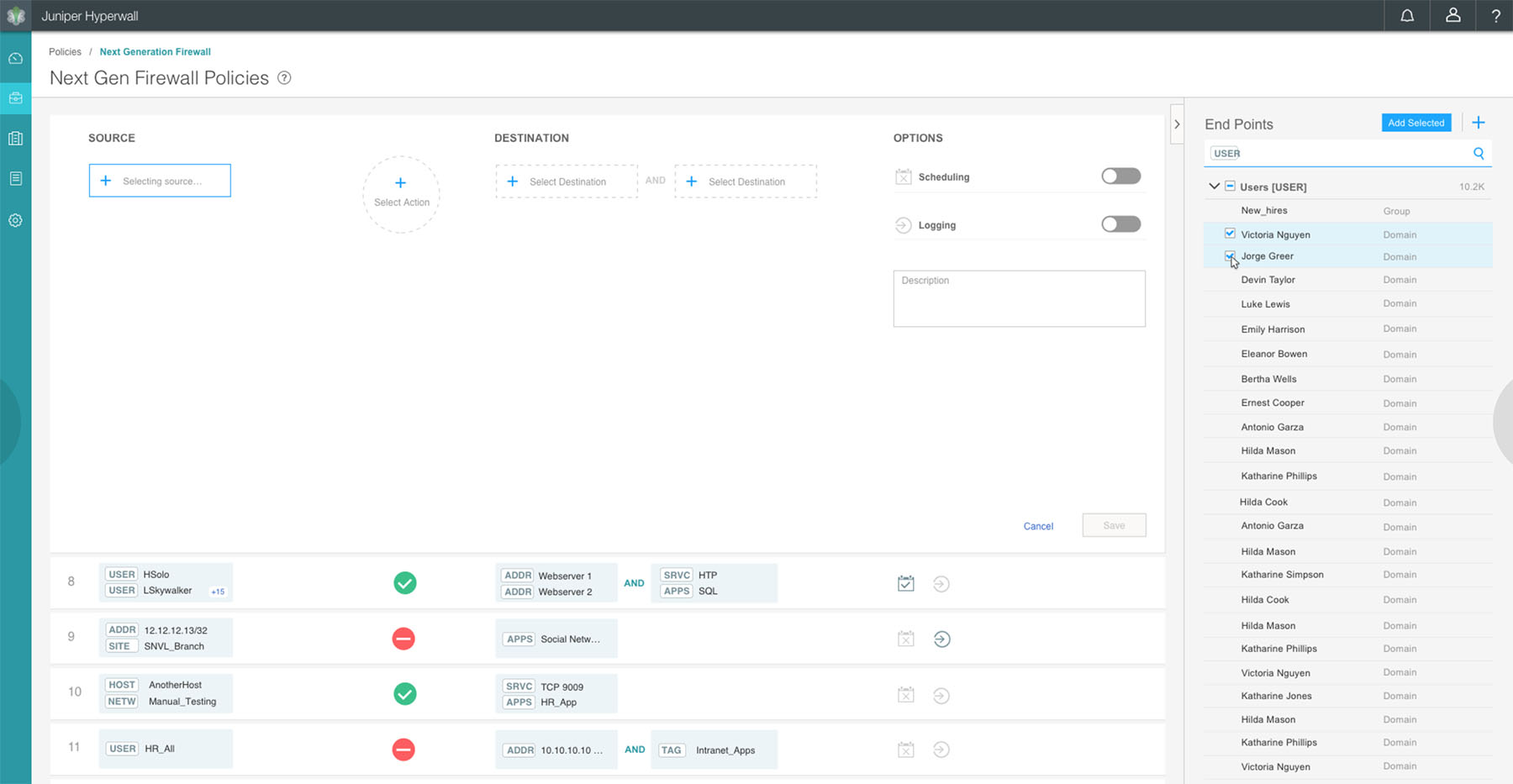
3. Use modern interactions: like search based auto complete, drag and drop and keyboard interactions to allow faster selection of objects
4. Reduce cognitive overload for the users: The current UI requires the user to know a lot of details about the underlying network. When the network changes the policy and rules have to be manually updated.
The new design completely eliminates the following cognitive overheads
1. User needs to know all the branch sites that have Finance department and need to know the I.P addresses of all the firewall devices at the perimeter of these sites. When a firewall policy is created this has to be manually assigned to each of the perimeter firewalls at these sites. In the new design users do not need to assign a policy to any device. The User Intent Policy Engine refers to the latest network topology maintained by the system and intelligently identifies the firewalls where rules need to be deployed
2. When a new site is created and has Finance department in it, the policy has to be manually updated. The User Intent Policy Engine remembers the intent and automatically deploys rules to the firewall on the new site
3. Lastly the current model requires the user to think of the right rule order where the new rule is placed. This is because the firewall stops processing the rule set when the first rule condition is matched. In the new design user need not worry about the rule order and the User Intent Policy Engine automatically places and re-orders rules to meet user intent
Video of the new improved design and work flow for the same usecase above
Rule grid showing multiple user intents
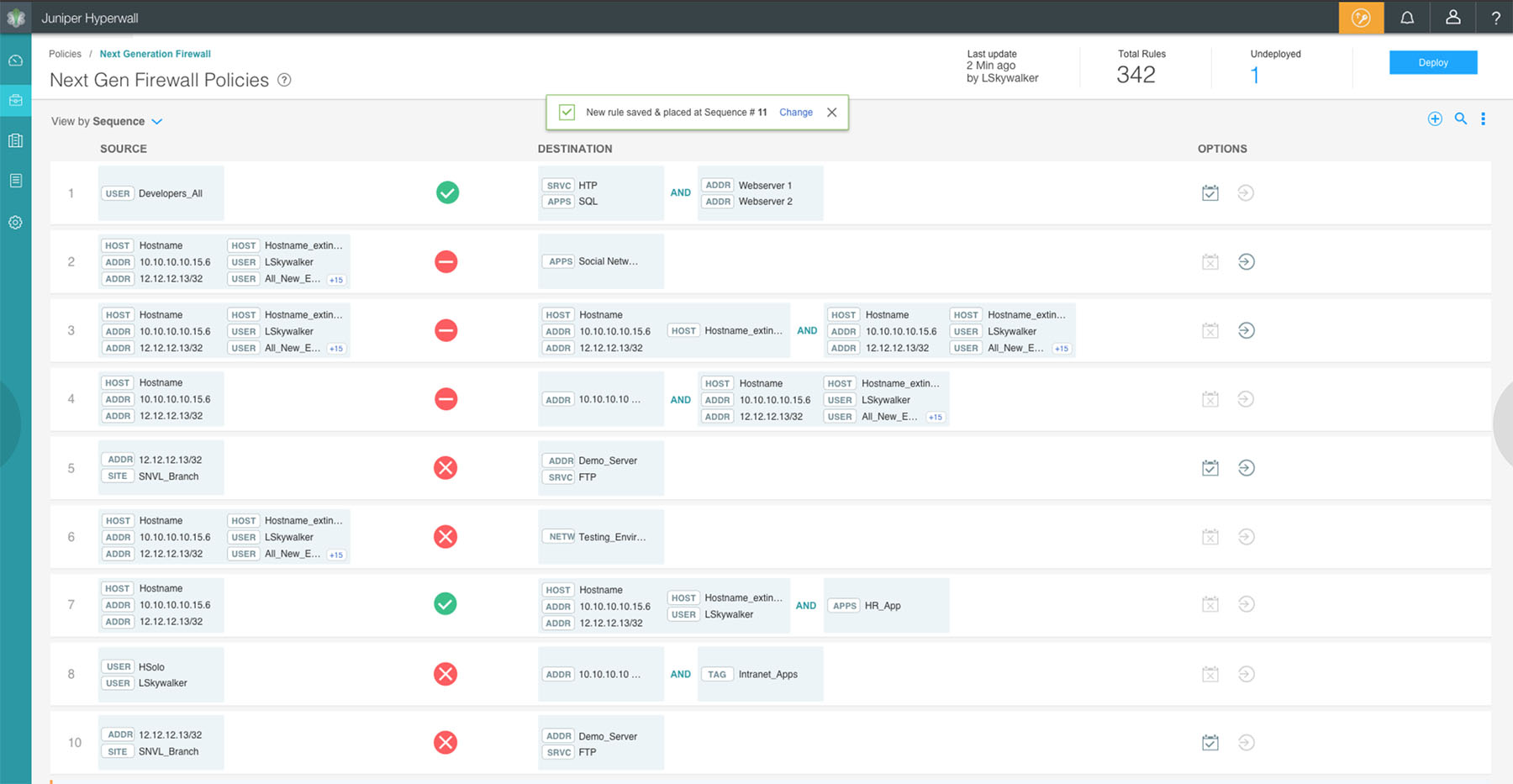
Auto complete makes it very easy and fast to search for endpoints to add to the rule
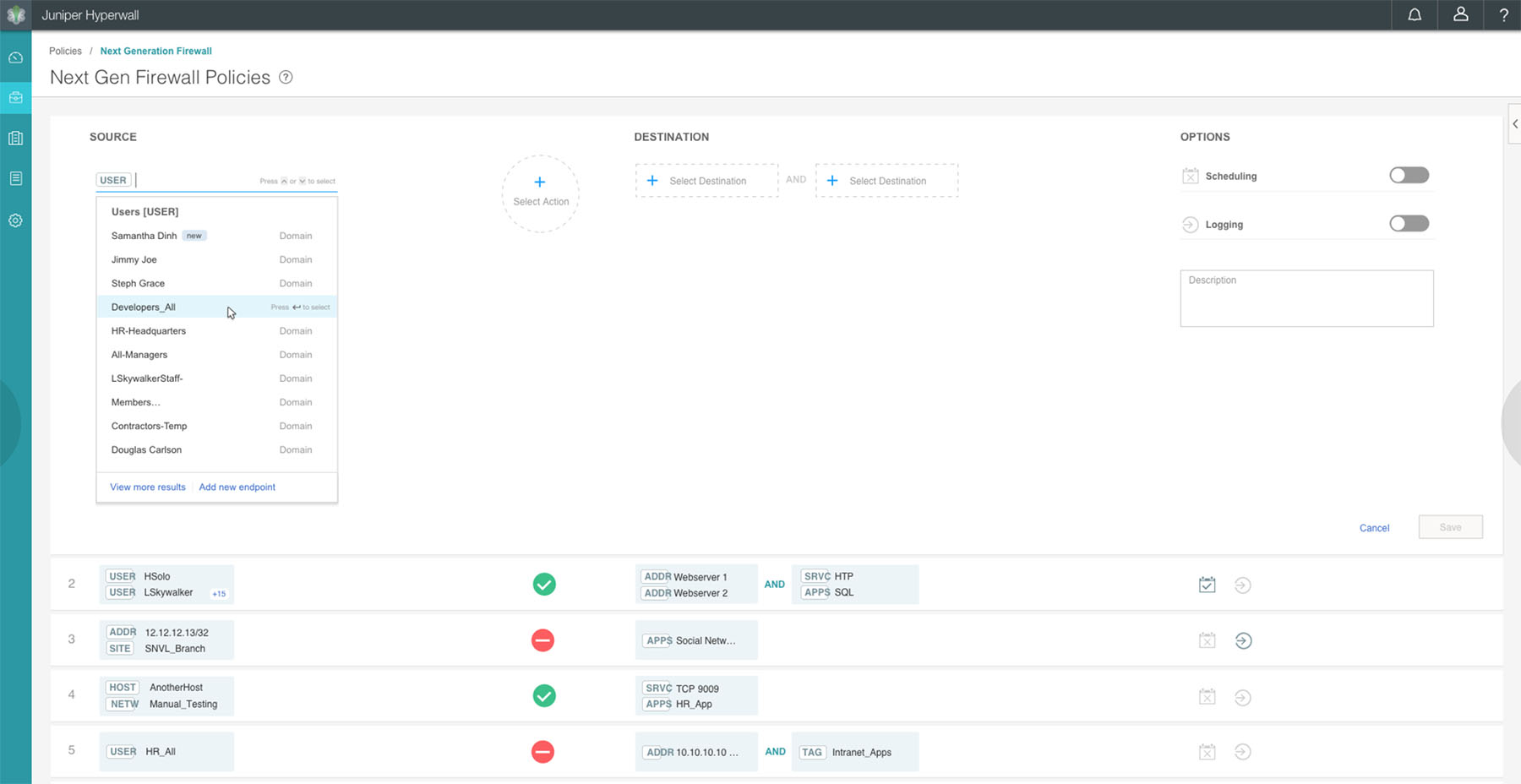
Side panel explorer for creating, editing and filtering of endpoints which can be dragged and dropped to create intent
Comparitive metrics before and after